


The intro
The prior blog discussed the importance of trying different angles on the same data set. This process is essential and is part of the Three-Step approach to thinking about your Data Story.
Once you have found your angle and story backbone, you must start working on your message. The message will later be displayed in a few places, which you can choose depending on your overall strategy. But before we go there, let’s discuss the best practices for defining your messaging when preparing your story.
First step on your Data Storytelling journey
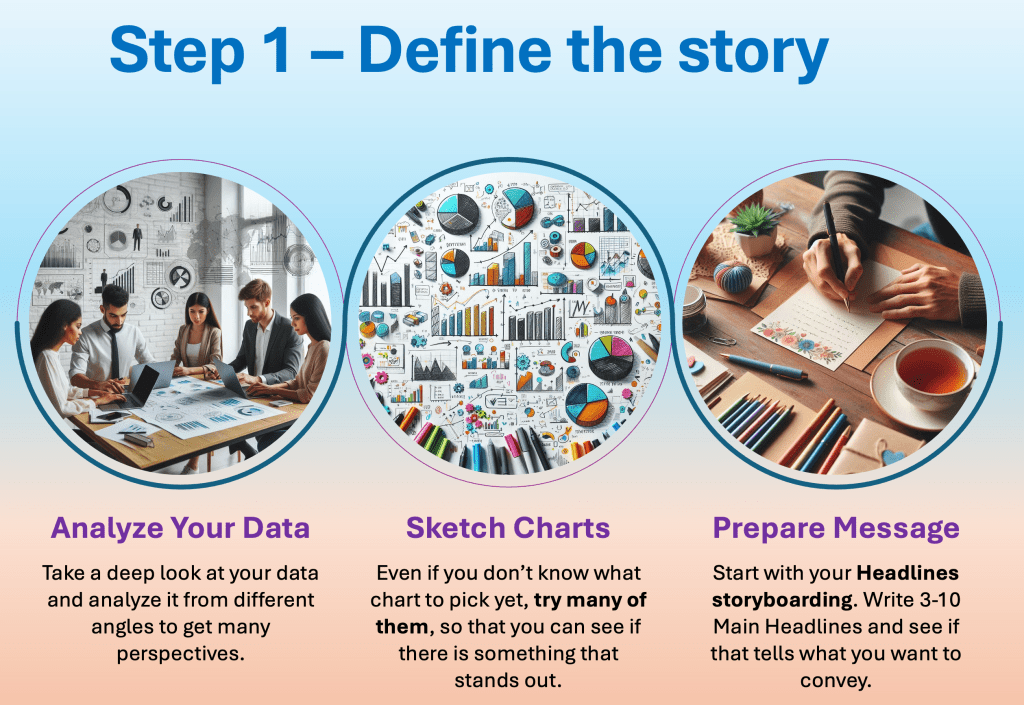
Start by forming your storyline in your head. Make sure it is based on the essential analytics you have done. When you roughly understand what you want to discuss, start sketching your main ideas on paper – YOUR HEADLINES. Alternatively, sketch them electronically in your document.
DATA STORYTELLING EXAMPLE
Let’s say you want to persuade your department to invest in a certain technology, product, region, or people. You have your data handy and prepared. So here is how you start to think.
I know that I need to PERSUADE someone to do something because I strongly feel about the potential future.
I have only 15 minutes to make my case. In that sense, I should use no more than three slides to make it happen. Remember that you are important, not the slides. The fewer your shows, but the more impactful they are, the better!
Then I need to have THREE main titles to go with them:
- We have been a strong player in the market for past 10 Years
- But the Competition have diverted the market to different products.
- If we don’t catch up or innovate, we will become irrelevant
This would be a simple messaging for your story line. Which very much resembles the traditional story backbone: Situation, Complication and Resolution (SCR Framework).
In the first point, we set up the Situation. We raised the Complications of what is happening in the market. Finally, we stressed a Resolution that we would fall behind if we didn’t do something. We can talk about this framework another time.
KEY INSIGHT ON MAIN TITLES
Right now lets go back to the Story-lining. You have your three main headlines which you can use then on your 3 slides as Main Headlines. Remember, the Main Headlines should inform the audience of 60-70% of the story. They are going to see this story on the slides or respective page.
The titles should always be TELLING titles and not INFO titles, describing what is on the page.
EXAMPLE:
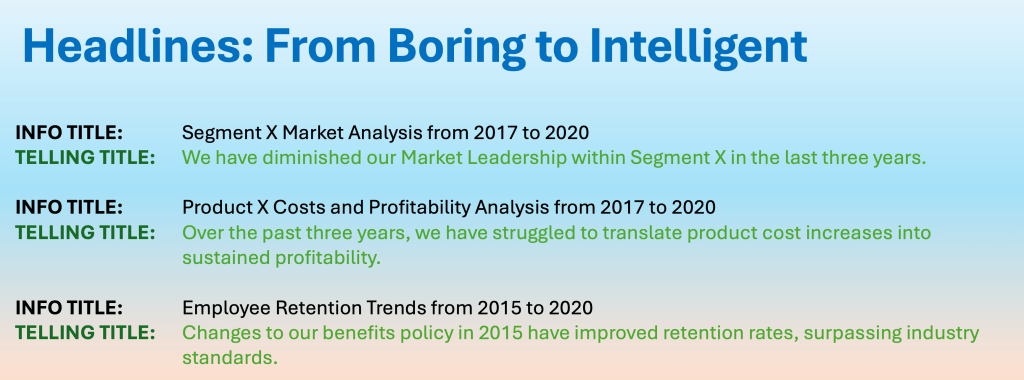
Look, if you feel that there is a need to be more eloquent, use sub-headlines to expand your story. Add a few numbers to gauge even more interest in the audience. Main title and sub-title should give at least 80% of the story on the slide.
DATA STORYTELLING EXAMPLE FOR SUBHEADINGS:
MAIN TITLE: Over the past three years we have lost ground in our Market Leadership in Segment X.
Sub Title: We have gradually lost more than 500bps in share. This loss is especially noticeable in the past two years to Competitor A. We finished at 8% share for the calendar year 2020.
Summary
Headings, Headlines, and Titles are the backbone of your Storytelling. If you come up with rock-solid Headlines for your slides, you can reuse them later. These headlines can go into your Executive Summary as well.
We will continue next time by looking into Step 2. This step teaches us to translate the ask into a special language, which will decide later what chart to pick.


Leave a comment